

Check or Create Passport Photo Online
• Get instant check: size, background, etc.
• Get a verified digital photo / 8 prints
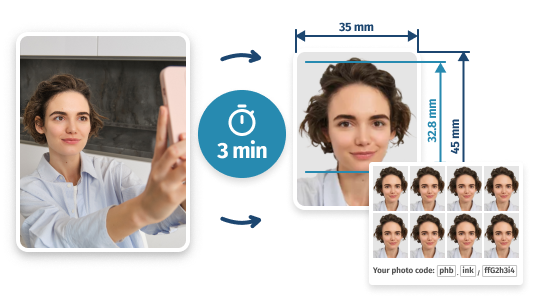
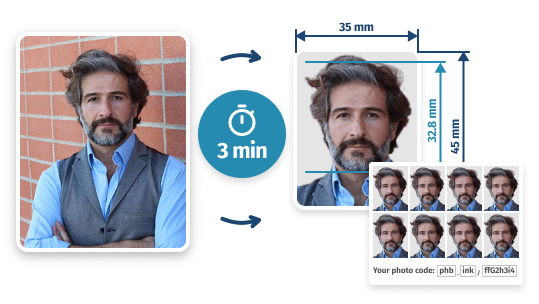
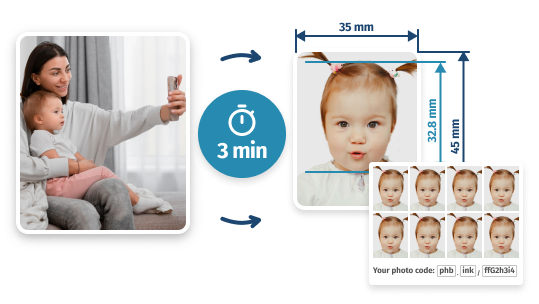
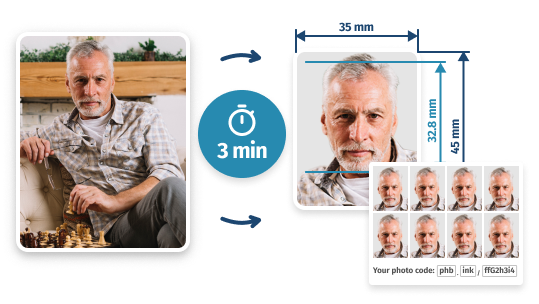
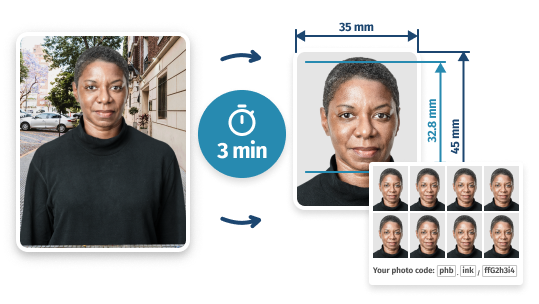
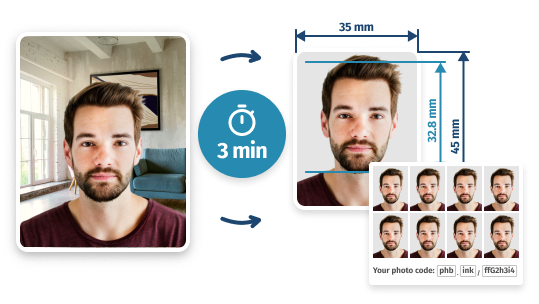
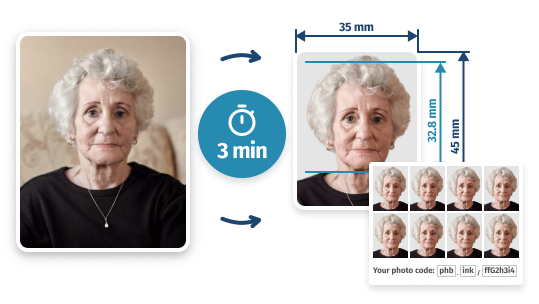
- 2 Min
- 100%
- 60-Day
- Turnaround Time
- Approved by HMPO
- Refund Guarantee
UK Passport Photo Checker: How It Works
PhotoBooth Online Step-by-Step Guide
- 1
Upload your photo
Add an existing picture or take a new one yourself (it can even be a regular snapshot – just look into the camera and keep a neutral expression, with no hair covering your face).
- 2
Have your photo checked
The PhotoBooth Online system will verify it for size (35×45 mm or 600×750 pixels), resolution (600 DPI), clear quality, proper lighting, and a light background. It’ll also review composition, attire, etc.
- 3
Adjust your photo if needed
If the size is wrong, you can crop the photo to 35×45. If you need to remove background, you can make it plain. If there are issues with quality or lighting, the system shows how to fix them.
- 4
Get your verified picture
Either instantly download your new digital passport photo – or get 8 high-quality prints with free Royal Mail delivery. Both options come with 100% acceptance guarantee!
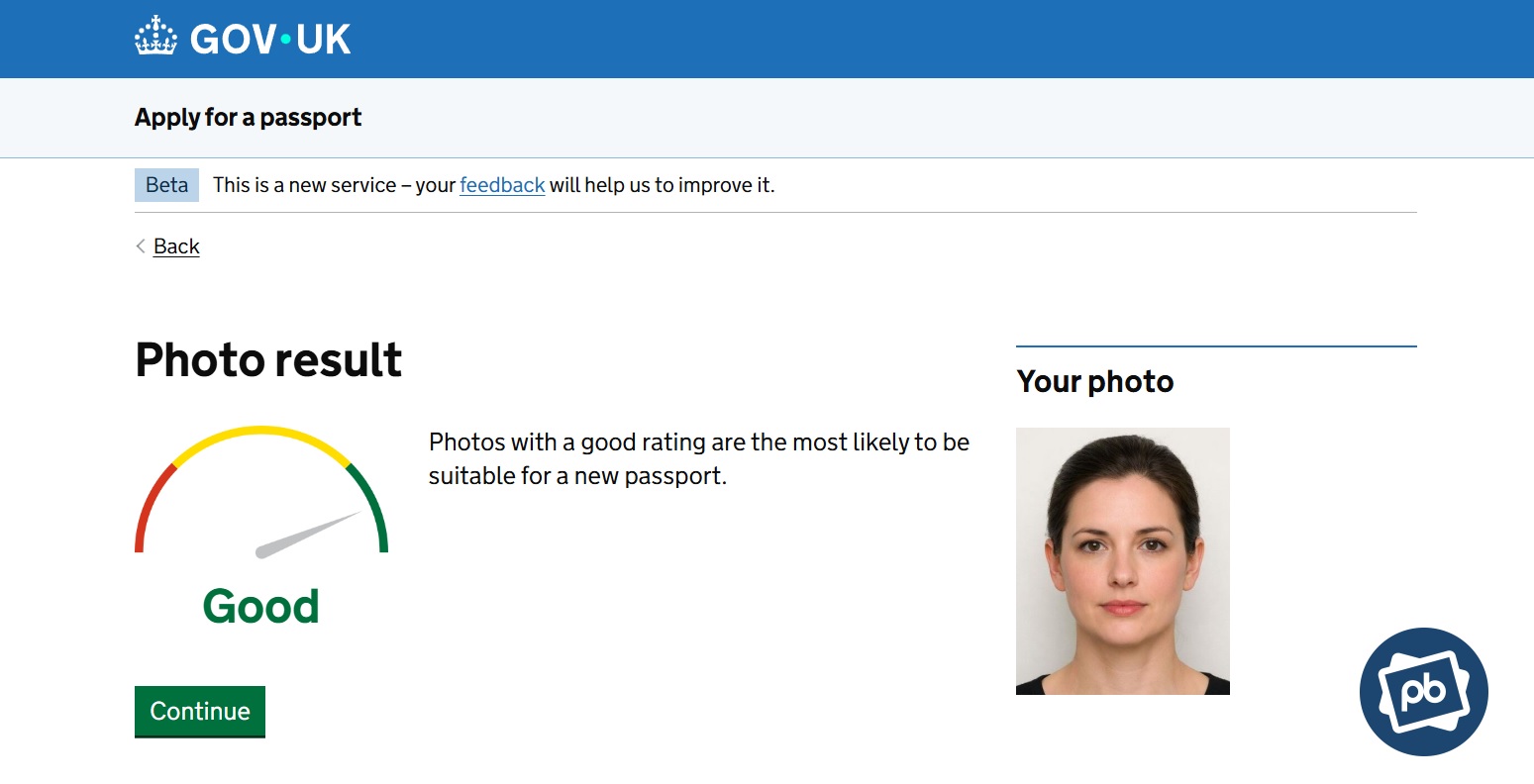
A PhotoBooth Online-checked passport photo passing the official GOV.UK verification How Does PhotoBooth Online Check Passport Photos?
When you run your image through our passport photo checker, we verify it against the following requirements:
Size At least 600×750 pixels, 35:45 ratio
File Format & Size JPG or JPEG, between 50 KB and 10 MB
Resolution 600 DPI
Quality Sharp and clear, not blurry or grainy
Photo Composition Head, shoulders, and upper torso fully visible
Facial Expression Neutral, mouth closed, eyes fully open
Lighting Even lighting, no shadows, proper exposure
Background Plain, light-coloured
Digital Alterations No filters or enhancements
We also check your photo against additional official guidelines, including hair, attire, head coverings, glasses, and other HMPO rules to ensure your it’s fully compliant before submission.
What is the PhotoBooth Online policy if my photo is rejected?
In the unlikely case that your photo is rejected, you can choose a full refund or a free retake — your choice.
Option What happens Cost Immediate refund We return the full amount to your original payment method. £0 Free retake We redo your photo at no charge, with an additional human expert double-check. £0 To start either option, email hello@photobooth.online with your order number.
A step-by-step guide on using the UK passport photo checker by PhotoBooth Online.
Written by: PhotoBooth Online Team
Updated: 15/04/26
- 1
Why Check UK Passport Photos with PhotoBooth Online
Guaranteed Approval
Speed & Convenience
Get Passport-Size Photos Right Now
- STEP 1Upload ANY of your photos
- STEP 2Get digital/printed pictures
PhotoBooth Online Options: Choose What You Need
JPEG Image
A single image file in high resolution containing a computer version of your passport photo—perfect for online applications.Photo Code
A generated code that you can enter during online submission for the photo to automatically appear in your passport application.6x4" Template for Self-Printing
An ultra-high-resolution template with 4 copies of your new 35x45 passport picture in it, ready to print at any photo centre.8 Prints with Free Delivery
8 prints made on high-quality paper and shipped right to your doorstep (the delivery is done by Royal Mail).Expert Photo Verification
A double-check of your UK passport photo by a PhotoBooth Online certified expert—to make sure it meets the official UK passport photo requirements.60-Day Money-Back Guarantee
In the unlikely case that HMPO rejects your passport photo, you can quickly get a full refund or a free retake.
Digital Passport Photo by PhotoBooth Online: F.A.Q.
What is PhotoBooth Online?
PhotoBooth Online is a specialist digital service that creates passport, visa, and ID photos compliant with the strict standards of HM Passport Office. Simply upload a photo taken on your smartphone and our platform, backed by a UK-based compliance team, will format and verify it for 100% compliance.
The average completion time is just 3-5 minutes, and we offer both high-resolution digital files for online applications and professional prints delivered via Royal Mail. We are the trusted, expert-led alternative to traditional high-street photo booths.
How much is a PhotoBooth Online passport photo?
Prices start at £2.95 for the Digital package, or £6.95 for Digital + 8 Prints with free Royal Mail delivery.
Package What’s included Cost Digital - Digital photo (instant download)
- Photo code for online application
- Printable template
£2.95 Digital + 8 Prints - Everything in Digital
- 8 high-quality prints
- Free Royal Mail delivery
£6.95 Whatever option you choose, you can pay either with your credit/debit card or PayPal / Google Pay.
How soon will I get my passport pictures?
- Digital photos will be available immediately after payment (download + email copy).
- Printed photos will be delivered to your address in 2 working days via Royal Mail.
What picture do I have to upload?
Take a photo of yourself (or ask someone to take it for you) using any digital camera — for example, the one on your phone.
- Your head and shoulders must be fully visible.
- Leave some space above your head.
- The dimensions, aspect ratio, and background can be anything — we’ll edit them for you.
- All other passport photo requirements must be met.
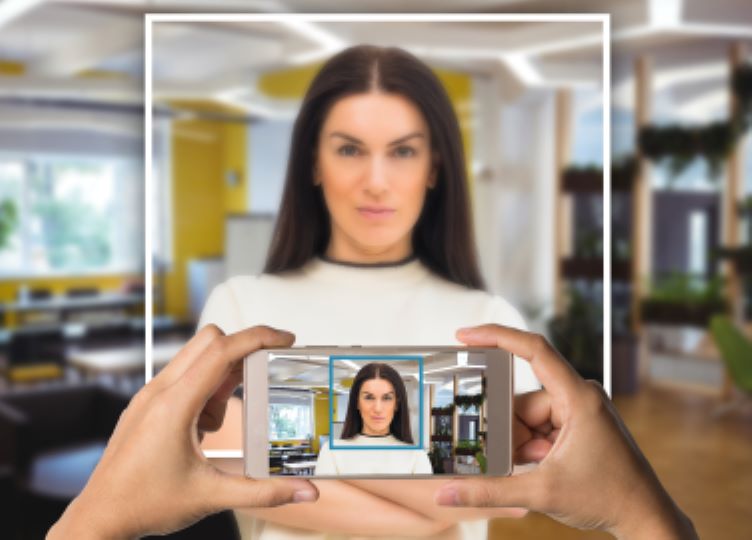
Correct framing for a UK passport photo What do I do if your expert keeps rejecting my photo?
Follow the checker’s tips to fix the issues and retake your photo; when it’s correct you’ll see a green check mark. If you’re sure your photo is correct, you can still proceed and complete your order with this picture.
How to fix a rejection with our checker
- Our checker shows what’s wrong (for example, “Head tilted or turned” or “Uneven lighting or shadows on face”).
- It also gives recommendations on how to fix each mistake.
- Read the tips closely and take a new picture.
- When done correctly, it will pass our expert check and show a green check mark.
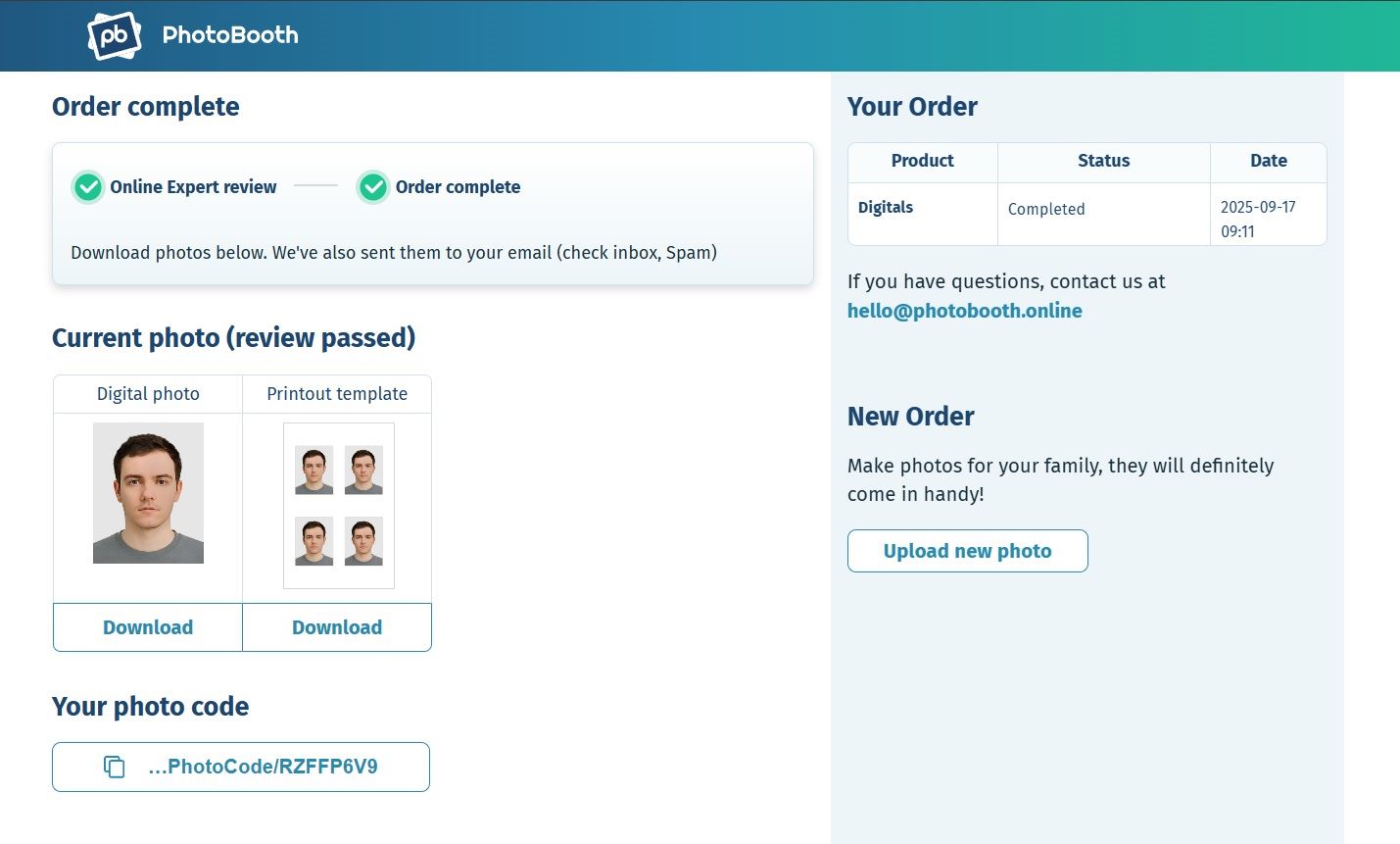
All passport photo checks are passed If you’re confident the photo is correct
You can proceed and complete your order with your picture without following the checker’s recommendations.
How do I print digital passport photos purchased here?
- Download the printable 6×4″ template and copy it onto a storage device (for example, a USB drive).
- Bring the storage device to any store or photo centre that provides printing services.
- Tell the staff that you need to print out passport photos on a 6×4″ sheet—they’ll know what to do.
Can you take your own passport photo?
Yes — His Majesty’s Passport Office (HMPO) allows UK applicants to take their own passport photo using a phone, tablet or digital camera. This is confirmed in official UK passport photo guidelines.
However, the image must meet strict biometric standards. If you’re taking a photo without help from an online service, follow the HMPO instructions closely — or watch the official video below:
📹 How to Take Your Own Passport Photo – Official HMPO Video
📄 Read full transcript
You can now take your passport photo at home with a friend. It’s quick and easy, giving you more time to get ready for your travels.
Use a plain background — a light grey or cream wall works best — and make sure there are no objects behind you. Natural light is best, but you can also use other lighting, as long as it doesn’t create shadows on your face.
Stand away from the background to avoid shadows. Your friend should be able to fit your head, shoulders, and upper body into the photo.
Keep your face clear. Make sure your whole face is visible, keep hair away from your eyes, and only wear head coverings for religious or medical reasons.
Look straight at the camera and keep a neutral expression. Avoid smiling. Common mistakes include hair in the face, shadows, glasses covering eyes, glare on lenses, or blurry photos.
Don’t worry if it takes a few tries to get it right. When you have a good photo, upload it online and complete your application. Then relax and start planning your travels.
How do you take a compliant UK passport photo?
To take a UK passport photo that meets official guidelines, you need proper lighting, background, and framing — and your face must be fully visible without distractions or retouching. Follow these tips to ensure your image is accepted by His Majesty’s Passport Office (HMPO).
- Wear dark, plain clothes. There’s no official dress code, but dark colours (black, navy, brown) provide good contrast against light backgrounds. Avoid patterned or white tops.
- Remove fashion headwear. Head coverings are only allowed for religious or medical reasons. They must not obscure the face or facial features.
- Take off your glasses if possible. Prescription glasses may be worn, but there must be no glare, reflections, or frames covering the eyes. Tinted or fashion glasses are not allowed.
- Keep your face fully visible. Hair must not cover your eyes, eyebrows, or jawline. If you have long hair, tie it back or braid it. Use minimal makeup for a natural look.
- Use a light-coloured background. Choose a plain cream, grey, or white wall with no patterns or objects. Or use the PhotoBooth Online background removal tool to automatically create a compliant plain background.
- Ensure even lighting. Avoid shadows on the face and neck. If artificial lights create shadows, stand facing a window to use soft daylight instead.
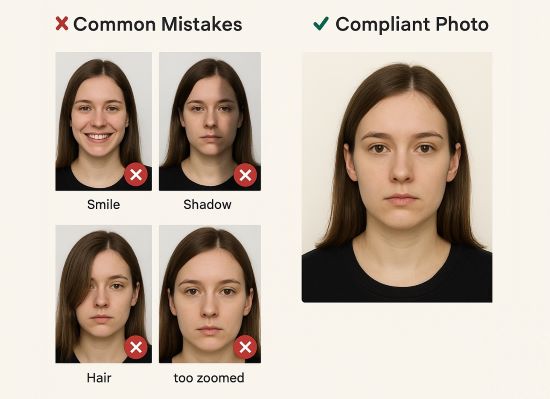
Common mistakes: smiling, shadows, hair in eyes, and incorrect framing (left) vs. a compliant photo (right).
For step-by-step guidance, see our full guide: How to take a passport photo.
What do I do if my digital photo is not accepted?
If your digital passport photo is rejected by His Majesty’s Passport Office (HMPO), you’ll be given a chance to upload a new one without paying extra — as long as you do it within the allowed time frame. To avoid further delays, your replacement image must meet all the official UK photo standards.
Rejection Reason What to Do Glare on glasses Retake photo without glasses or adjust lighting to avoid reflections. Face cropped or too close Ensure head, shoulders, and full face are clearly visible with space around. Background not plain Use a plain cream or light grey wall or remove background digitally. Expression not neutral Retake the photo with a neutral face — no smiling, frowning, or raised eyebrows. Shadows on face or neck Adjust lighting or face a window for softer, even light. Use the PhotoBooth Online expert service to generate a new compliant photo and avoid further application delays. Then follow the steps to change the photo on your passport and avoid rejection.
For more details, read our step-by-step guide on rejected passport photos.
If I don't want to get my passport photo online, where else can I get it?
If you’d rather use an offline service, there are three common options in the UK: photo booths, staffed photo centres, and Post Office branches. These services are widely available — often inside supermarkets — but may involve queues or slower processing times.
- Photo booths (self-service): These automated machines are found in many supermarkets and shopping centres. They’re quick and affordable, but offer no assistance — for instance, if you’re getting a Morrisons passport photo, you are responsible for ensuring this photo meets UK passport standards.
- Photo centres (staffed): For example, you can get a Max Spielmann passport photo with staff assistance in some supermarkets (often inside Tesco or Sainsbury’s). These services are more reliable for those unsure about compliance, but may cost more or require waiting.
- Post Office branches: Many UK Post Offices offer passport photo services. They can also assist with applications, but turnaround times are usually slower and you may need to wait in line.
Option Price Turnaround PhotoBooth Online £2.95–£6.95 Instant / same day In-store booth ~£10–£13 Same day Photo centre ~£13–£15 Same day Post Office £16+ Same-day If you’re submitting printed passport photos, check whether they need to be signed. See our guide on who can sign passport photos to avoid application delays.