

Baby Passport Photo
Editor & Checker

- Step 1
- Step 2
- Step 3
- Take & upload a photo
- It'll be processed & verified
- Get passport photo in 3 min.
Get Baby's Passport Photos — Convenient & Reliable
- BABY'S PASSPORT PHOTO
How to make a baby passport photo with PhotoBooth Online
1Photograph your baby at home.
Do it when your baby is fed and relatively calm — morning after a nap is usually the easiest window. Lay your baby on a plain sheet, get the face toward the camera as much as you can, keep your hands out of the shot, and take a lot of frames. The sheet does not have to be perfect white — we replace the background. Closed or partly closed eyes are fine only for a newborn.
2Pick one sharp shot and upload it.
Choose a frame where the face is clear and nothing is covering it — no pacifier, hat, or toy. Upload it to PhotoBooth Online from your phone or computer. You can upload more frames, one after another. From there, we take over.
3We turn it into a 2×2 passport photo.
We crop the photo, set the head size, and replace the background with plain white. We also check the photo against the rules for babies: child alone in the frame, face toward the camera, eye rules by age, etc.
4Look at the finished photo before you download or print.
Your baby’s passport photo is ready on screen — made in strict accordance with official requirements. If you don’t like the photo for any reason, upload another and we process it again. When everything is in order, choose how you want it: digital, prints, or both.
5A specialist checks it before we send the photo.
A specialist reviews your baby’s photo against Department of State rules — including the infant exceptions — before we send the files or prints.

Every PhotoBooth Online baby passport photo is built to U.S. Department of State requirements — including the rules that apply only to babies. Size, head height, background, and composition are set to the official specs. The Department of State requires an unedited likeness. Turn off filters, beauty mode, and portrait effects before you shoot. We do not retouch the face, change skin, or alter features. At the final stage, a specialist reviews the photo. If it does not meet the requirements, we will notify you and explain what to fix on the original shot. What are the requirements for a baby passport photo?
A U.S. baby passport photo must meet U.S. Department of State requirements. The size, background, and composition rules are the same as for any passport photo:
- 2×2 inches (51×51 mm), color
- Taken within the last 6 months
- Plain white or off-white background
- Head height 1 to 1⅜ inches from chin to top of head
- Child alone in the frame
- Full face visible, face toward the camera
- Neutral expression (no crying or laughing)
- No shadows on the face
- No glasses or hats
For newborns, the Department of State allows a few practical accommodations:
- Lay the newborn on a plain white or off-white sheet
- Or cover a car seat with a sheet and place the newborn in it
- Eyes not entirely open are OK — all other children must have their eyes open
- No pacifier, toys, or other objects in the shot
PhotoBooth Online turns your baby’s photo into a passport photo built to travel.state.gov rules:
- Crop to 2×2
- Set the head size
- Replace the background with plain white
- Check the photo against the rules for babies
- A specialist reviews it before we send the files or prints
With us, you get a photo that fully meets Department of State requirements.
Baby passport photo requirements by age
👶 Newborn
- Setup: on a plain sheet, shot from above
- Eyes: closed or partly closed OK
- Pose: face toward the camera as much as possible; full face visible
- Must not show: parent hands, arms, or shadows; pacifier, hat, toy
🍼 Infant
- Setup: sheet from above, or car seat covered with a sheet
- Eyes: not entirely open is OK
- Pose: face toward the camera; slight head tilt OK for infants
- Must not show: parent hands or support; straps, pacifier, toy
🧒 Toddler
- Setup: sit upright; sheet or plain wall behind
- Eyes: both open and visible
- Pose: face straight at the camera; neutral expression
- Must not show: hands on the face, toys, crying or laughing
🧑 Child 6+
- Setup: sit or stand; plain white / off-white behind
- Eyes: both open, looking at the camera
- Pose: face straight, head level; neutral expression (mouth closed)
- Must not show: glasses, hats, uniforms, filters or beauty edits
iSame for every age: 2×2 · head 1–1⅜ in · white / off-white background · taken within 6 months · child alone · no shadows · one printed photo for Form DS-11.
Upload your baby’s photo — free to try, unlimited attempts
Upload PhotoExamples of acceptable baby passport photos
Accepted examples look like this: a newborn on a plain white sheet shot from above, an infant in a sheet-covered car seat, or a toddler facing the camera with both eyes open. Closed or partly closed eyes are fine for newborns. At every age, the head must measure 1 to 1⅜ inches in the 2×2 print, with even lighting and no shadows on the face.
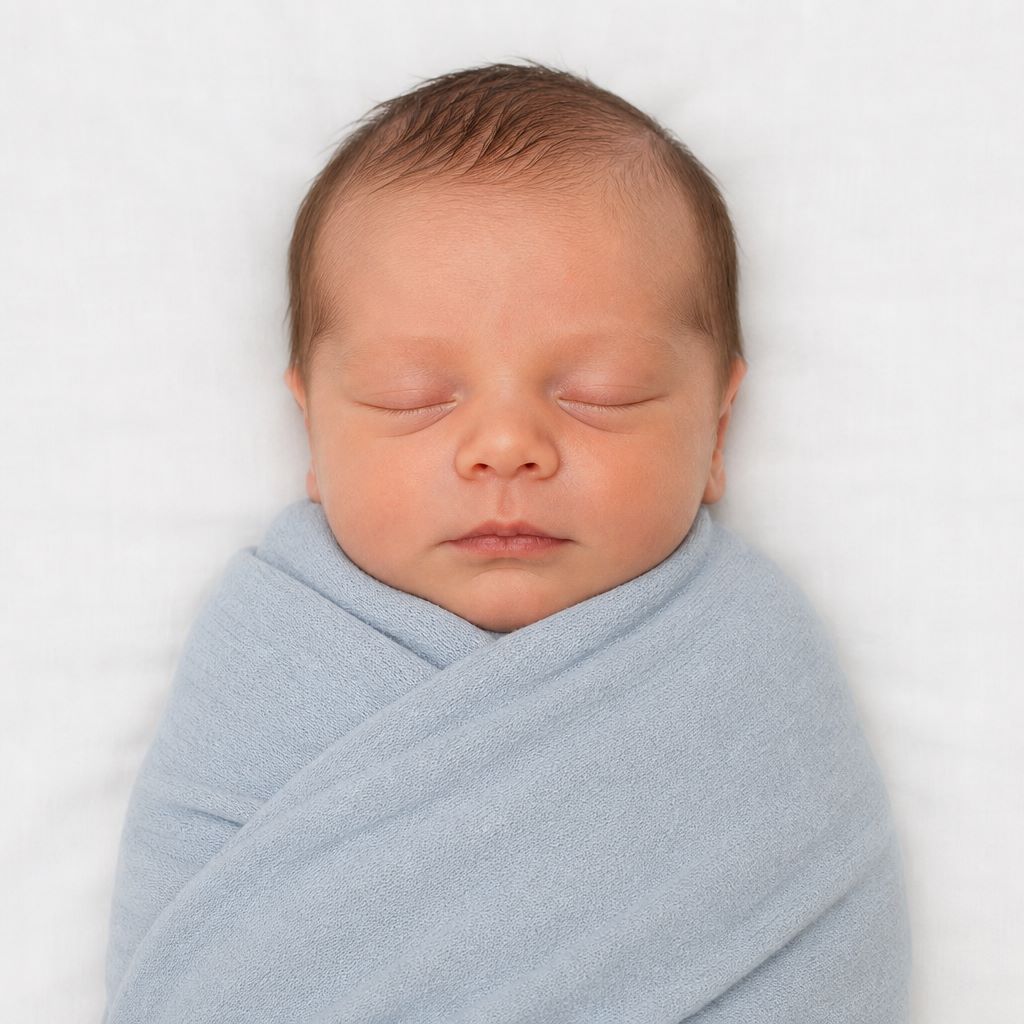
Newborn lying on a white sheet, photographed from above 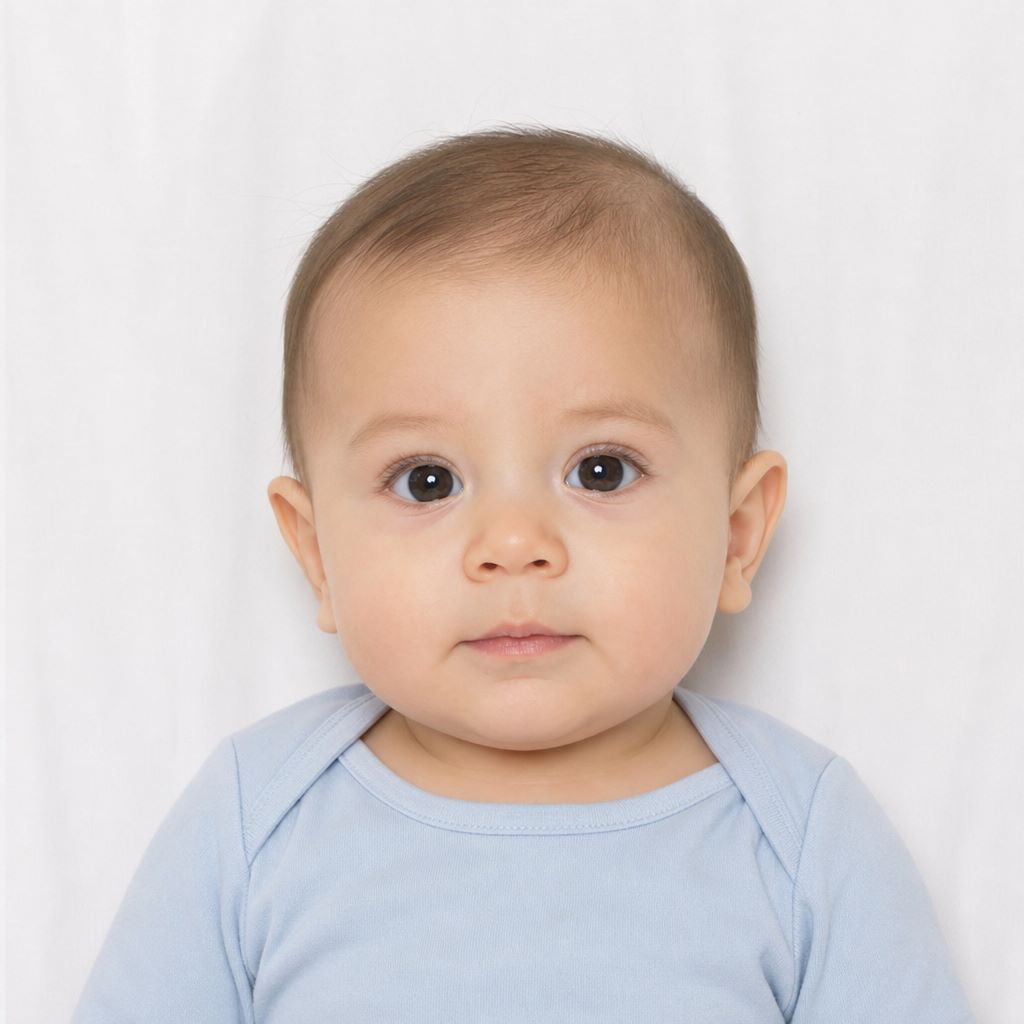
Infant in a car seat covered with a white sheet 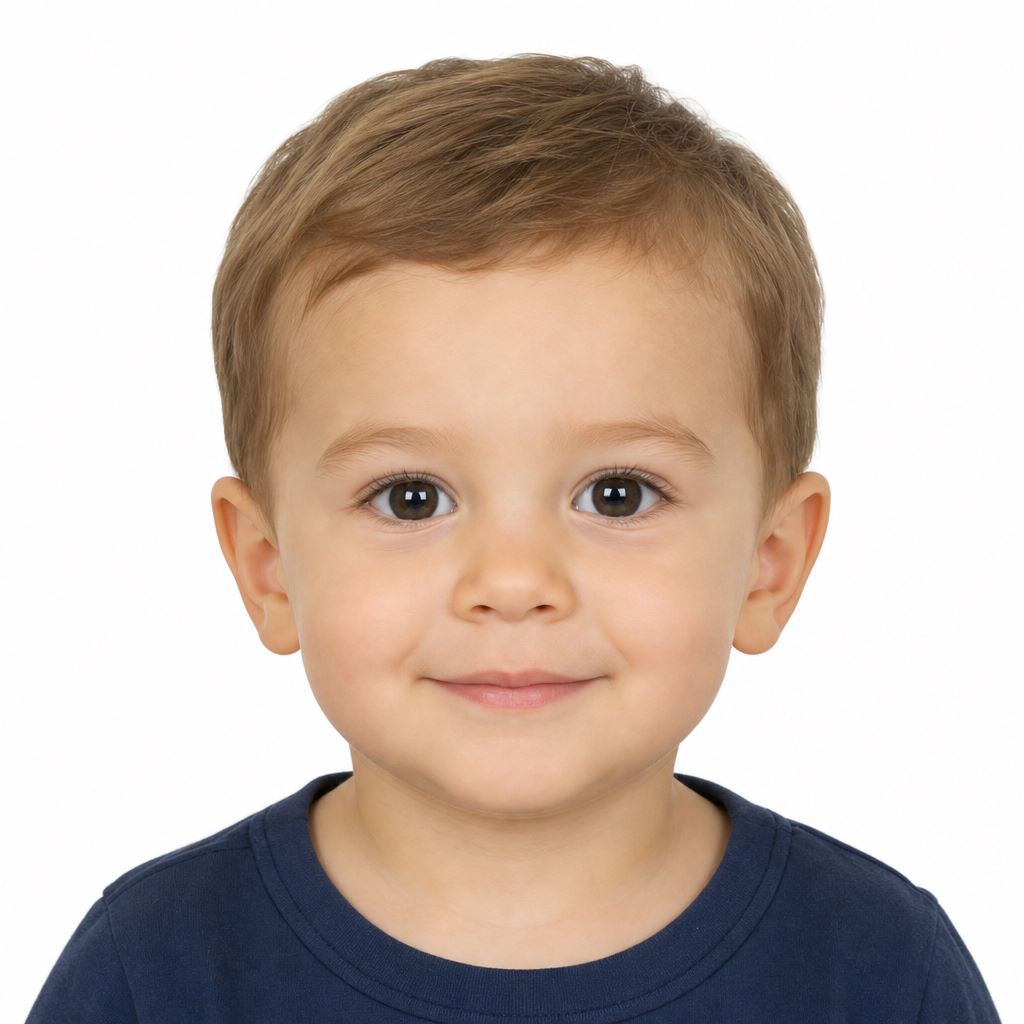
Toddler facing camera, eyes open, neutral expression Examples of unacceptable baby passport photos
These are the reasons baby photos fail most often: a parent’s hands in the frame, the baby not facing the camera, closed eyes after infancy, crying or laughing, shadows, blur, wrong head size, objects in the shot, a non-white background, or glasses, hats, and costumes.
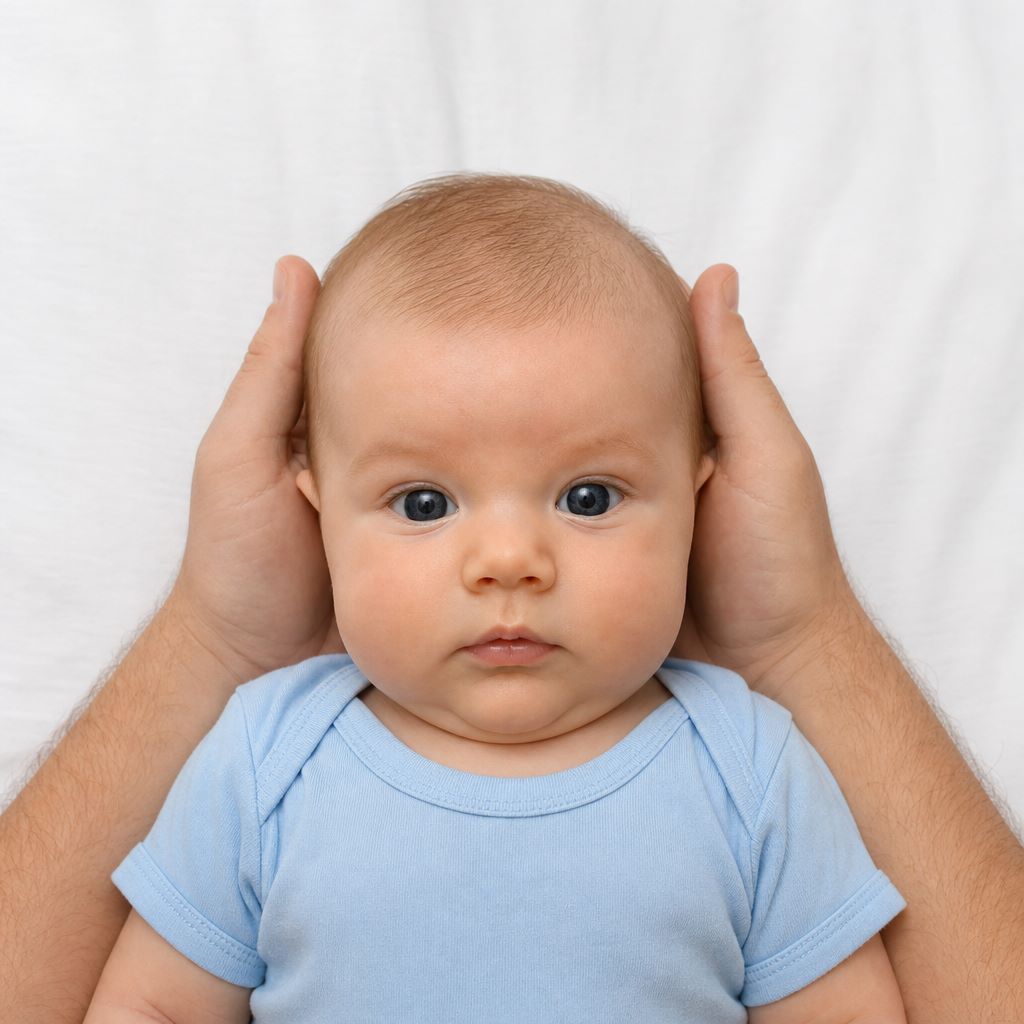
Parent’s hands visible supporting baby’s head 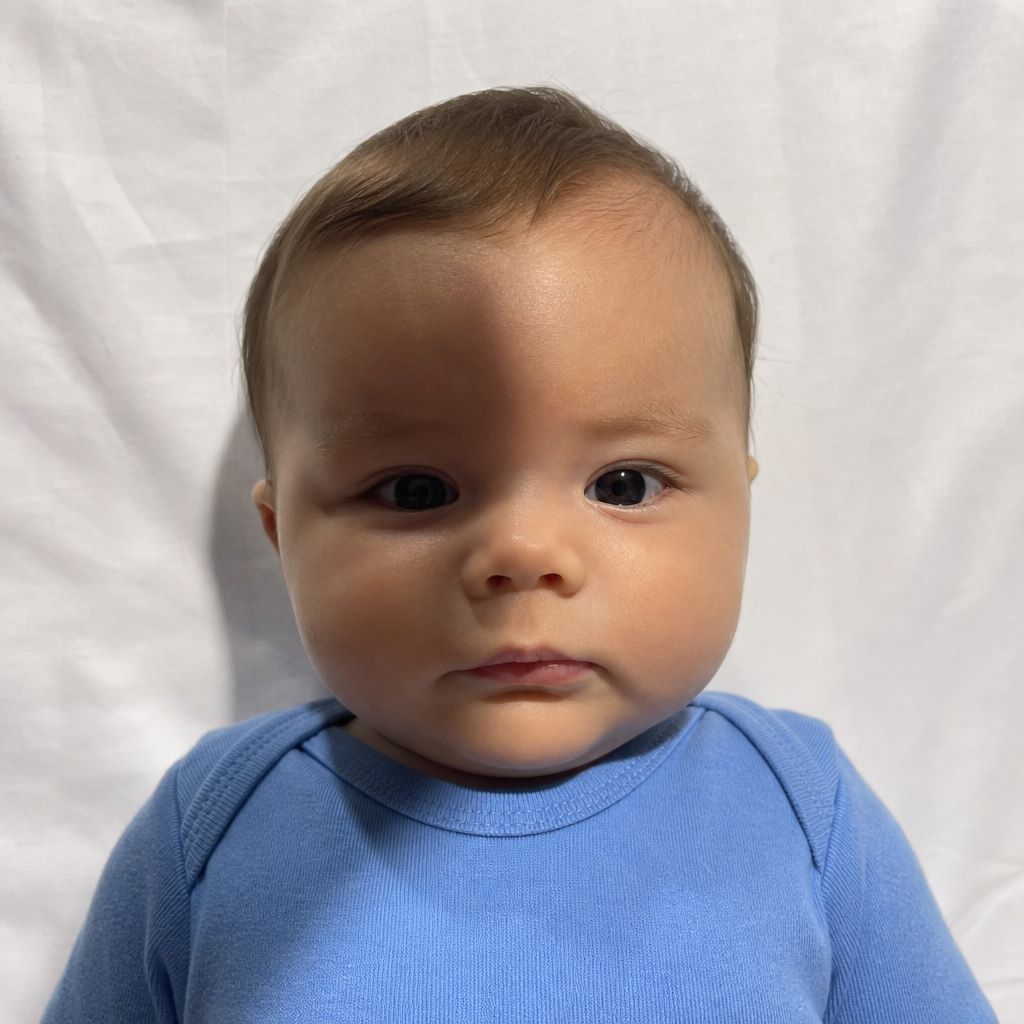
Shadow on baby’s face 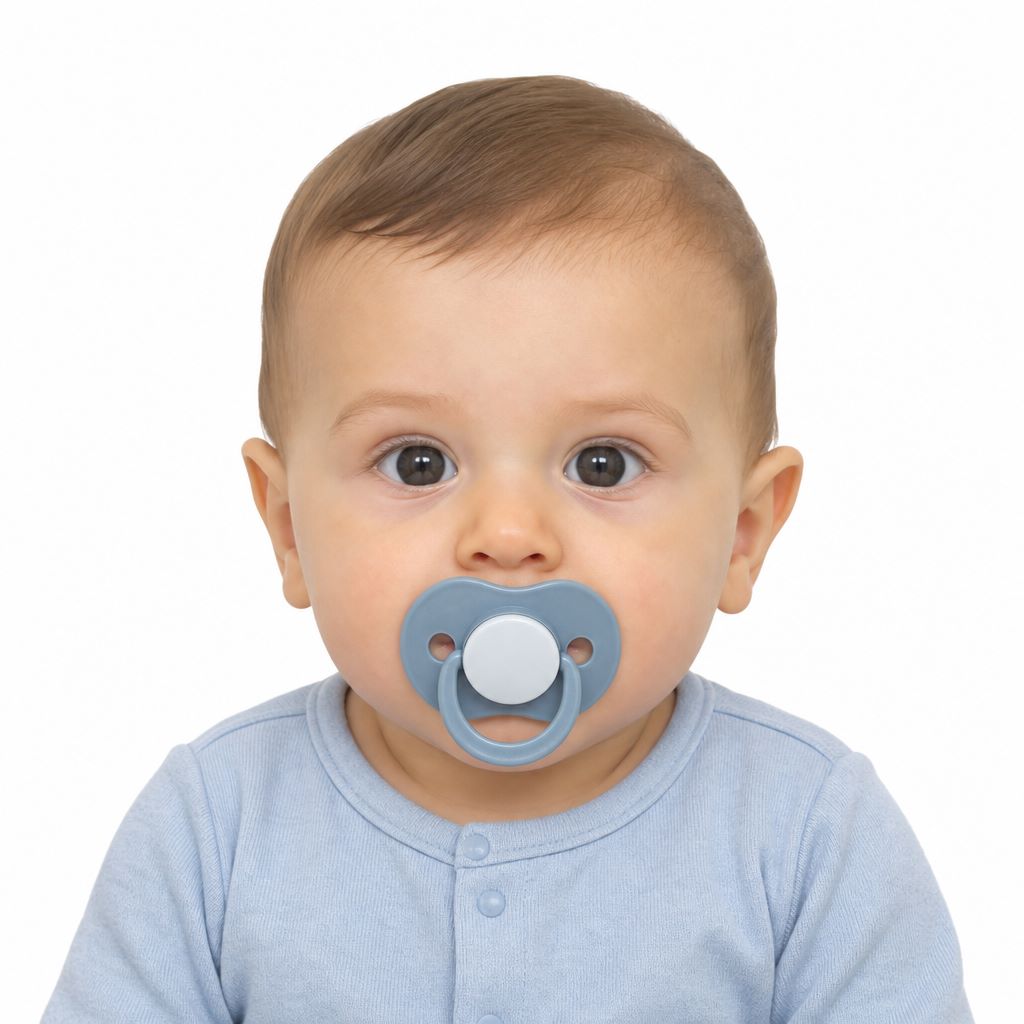
Pacifier in mouth 
Blurry or motion blur Where can I take a passport photo for my baby (comparison table)
Store Baby passport photos? Format Price Appointment Accepts passport application? Walmart Photo Yes (infants, toddlers, children) In-store photo and 2×2 prints from an uploaded photo $7.64 for 2 prints Not required No Walgreens Yes (all ages, including babies) In-store photo $16.99 for 2 photos + free digital Not required No CVS Yes (babies, infants, children) In-store, Kodak Moments $17.99 for 2 photos Not required No USPS Yes — for minors under 16 In-store photo $15 (hard copy; digital sold separately) Yes Yes The UPS Store Infant policy not clearly stated In-store photo ~$19.99+ (varies by location) Optional No FedEx Office Infant policy not clearly stated In-store or online $15.95 (print or digital) Not required No Staples Yes (babies and children) In-store $19.99 prints / $21.99 digital Not required No Target (EZPrints) No baby-specific info listed Upload only → mail Not listed Online order No Costco No passport photo service Sam’s Club No passport photo service Rite Aid No passport photo service iBefore you go: call the store first. Corporate websites say “yes” for all ages — but individual locations sometimes refuse infants. A 2-minute phone call can save a wasted trip with a fussy baby.
What you get with PhotoBooth Online
PhotoBooth Online turns a phone photo of your baby into a finished 2×2 passport photo — cropped to official size, head height set, white background applied, infant rules checked. A specialist reviews every result before we send it. Form DS-11 needs one printed photo; choose digital files, a print-ready template, or finished prints mailed to you.
For printing or digital useDigital- Digital photo
- Printable 4×6″ template with six 2×2″ photos
- Ready to print at any pharmacy (Walmart, Walgreens, CVS, and others)
PrintsPrints + Digital- Everything in Digital, plus six physical 2×2″ prints
- Free shipping with tracking
- Usually arrives in 2–3 business days
Try it now — upload a photo and get the result in a few minutes.
PhotoBooth Online User Reviews
★★★★★“Had to get passport photos for the whole family. Instructions were clear and easy to follow and upload/download and payment were easy, they even polished up the photos and you get to choose which one you liked.”
— Nam★★★★★“Photo Booth Online is fab. I used them to print my son’s passport photo. They were very easy to use and helpful! Highly recommended!”
Compliance guarantee: Every photo is checked against U.S. passport requirements. If it’s rejected, you get a full refund — guaranteed within 60 days.
Use this guide to make a U.S. baby passport photo with PhotoBooth Online — step-by-step upload and infant-rules checks, requirements by age, pass/fail examples, a store comparison, and Digital or Prints + Digital options with specialist review.
Written by: PhotoBooth Online Editorial Team
Verified against: U.S. Department of State passport photo requirements
Sources: travel.state.gov
Updated: 09/03/2026
Still have questions? Email us at hello@photobooth.online.
Which Photo Do You Need
First Passport, Under 16
Visa, ID or a Second Copy
How Does It Work?
- STEP 1Take & upload a baby’s photo
- STEP 2Download or get delivered


How We Meet US Baby Passport Photo Requirements
Newborn Rules Built In
The 2×2 crop is the same at every age, but the eye rule is not. We apply the official newborn exception — eyes not entirely open are fine — and the stricter open-eyes rule from toddler age up.Head Size Set for You
Chin to top of head has to land between 1 and 1⅜ inches in the finished print. Parents can't eyeball this, and it's the technical failure. We set it from your frame automatically.Any Background Works
Shoot on whatever blanket, sheet, or car seat cover you have — it doesn't need to be perfect white. We replace it with compliant white or off-white and clear uneven light behind your baby.Unlimited Free Retakes
You shoot as many as you want, and retake inside the tool is free and unlimited too. You see the finished 2×2 on screen before any price appears, with no account needed.Dual Verification
The tool handles the technical side, then a compliance specialist reviews your baby's photo against Department of State criteria before the files go out.Phone Photo Is Enough
A recent smartphone is enough. Use the rear camera and switch off portrait mode, filters, and beauty effects. On a computer, scan the QR code to send the photo over from your phone.
Frequently Asked Questions
What should my baby wear for a passport photo?
Plain everyday clothes that contrast with a light background. No costumes, or camouflage. A dark or mid-tone onesie is easier than white-on-white.Can my toddler wear glasses?
No, your toddler cannot wear glasses for a passport photo unless there is a signed medical note and the frames do not cover the eyes. For a baby or toddler, take the glasses off.Can I use the camera flash?
It’s not recommended to use the camera flash. Flash causes red-eye and hard shadows, and it often startles the baby. Use window daylight; add a room light if the face is still uneven.Do I attach the photo to Form DS-11 myself?
No, do not staple, glue, or tape it. Bring the print and let the acceptance agent attach it.Is a passport photo of a sleeping newborn acceptable?
Closed eyes are fine at that age. The rest still has to pass: face toward the camera, full face visible, child alone, no blanket over the face, no shadows.Does the baby passport photo have to be in color?
Yes, the baby passport photo have to be in color. Black-and-white, filters, and camera modes do not pass.Can I print it at home?
Yes, you can print at home on photo-quality paper, at actual 2×2 inches, with no extra white border.Related Articles