

HMPO Rejected Infant Passport Photo: What to Do Next
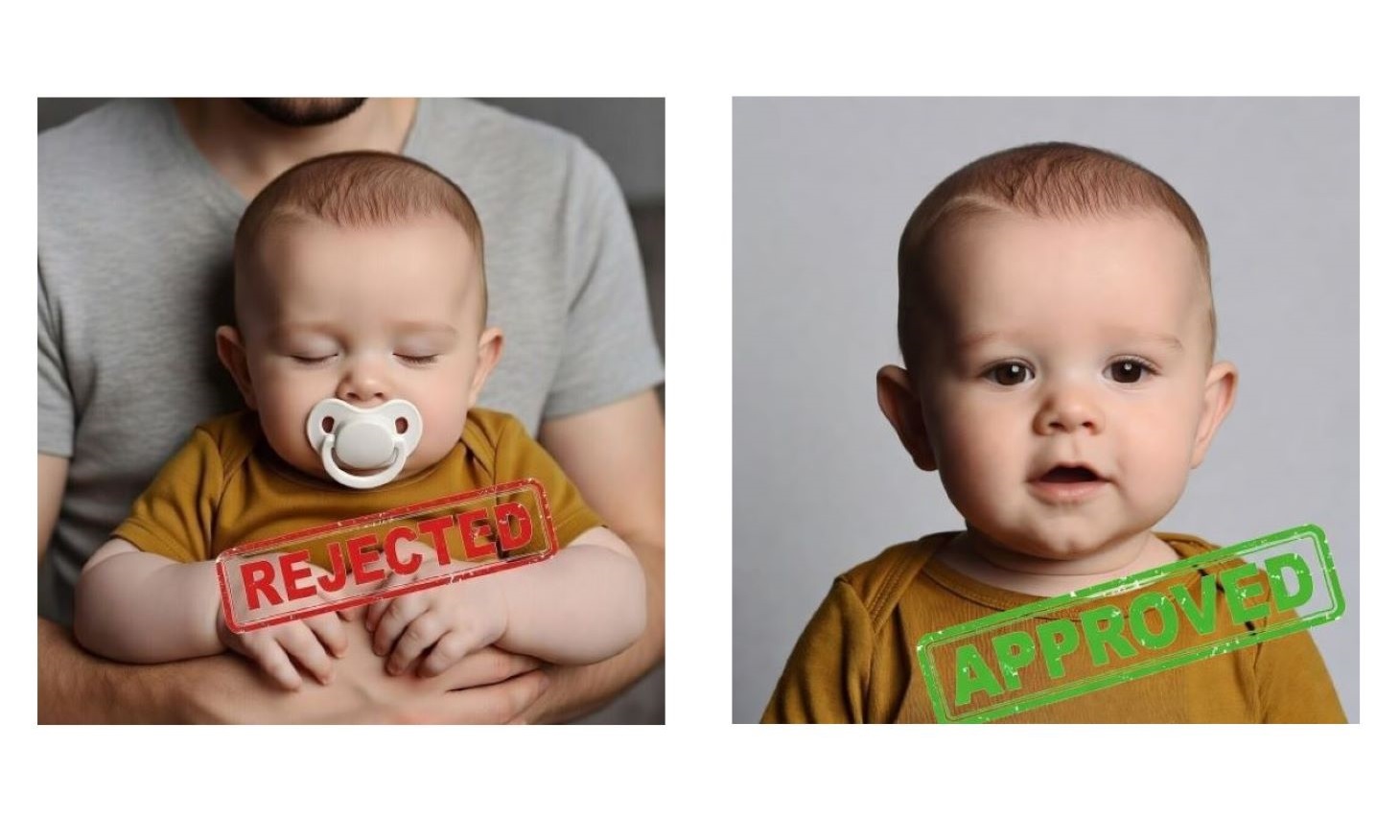
If HMPO rejected your baby’s passport photo, you need to retake it so it meets UK requirements.
As a team working daily with UK passport photo checks, we see the same rejection reasons again and again – most rejections happen due to background issues, head position, or visible objects.
This guide explains exactly why infant photos fail and how to fix them fast.
📋 Quick Answer
If your baby passport photo is rejected, retake it with a plain off-white background, no visible hands or objects, and full face visibility. Babies under 1 can have closed eyes, but the face must still be clear.
Use PhotoBooth Online to check and format the photo instantly and avoid another rejection, with a 100% approval guarantee.
Contents
Why Infant Passport Photos Get Rejected
Most rejections are simple mistakes. HMPO applies the same core rules to babies as adults, but they are harder to follow with infants.
- Objects in the frame: hands, toys, dummies, or pillows are visible.
- Wrong background: not plain off-white or has shadows or creases.
- Face not fully visible: hair, hat, or angle blocks the face.
- Incorrect positioning: baby not facing forward or head size is wrong.
- Poor lighting: shadows or uneven exposure.
Requirements for Infant Passport Photos Simplified
These are the key rules you must meet.
General Rules
- Photo size must be 35mm × 45mm
- Head height must be 29–35mm
- Face must be fully visible
- No hats or head coverings (unless medical or religious)
- No other people or objects in the photo
- No shadows or red-eye
Infant-Specific Rules
- Babies under 5 do not need a neutral expression
- Mouth can be open
- Babies under 1 can have eyes closed
- You can support the head, but your hand must not be visible
⚠️ Important: With baby passport photos, the most common reason for rejection is a visible hand or object. Even a small part in the frame can cause failure.
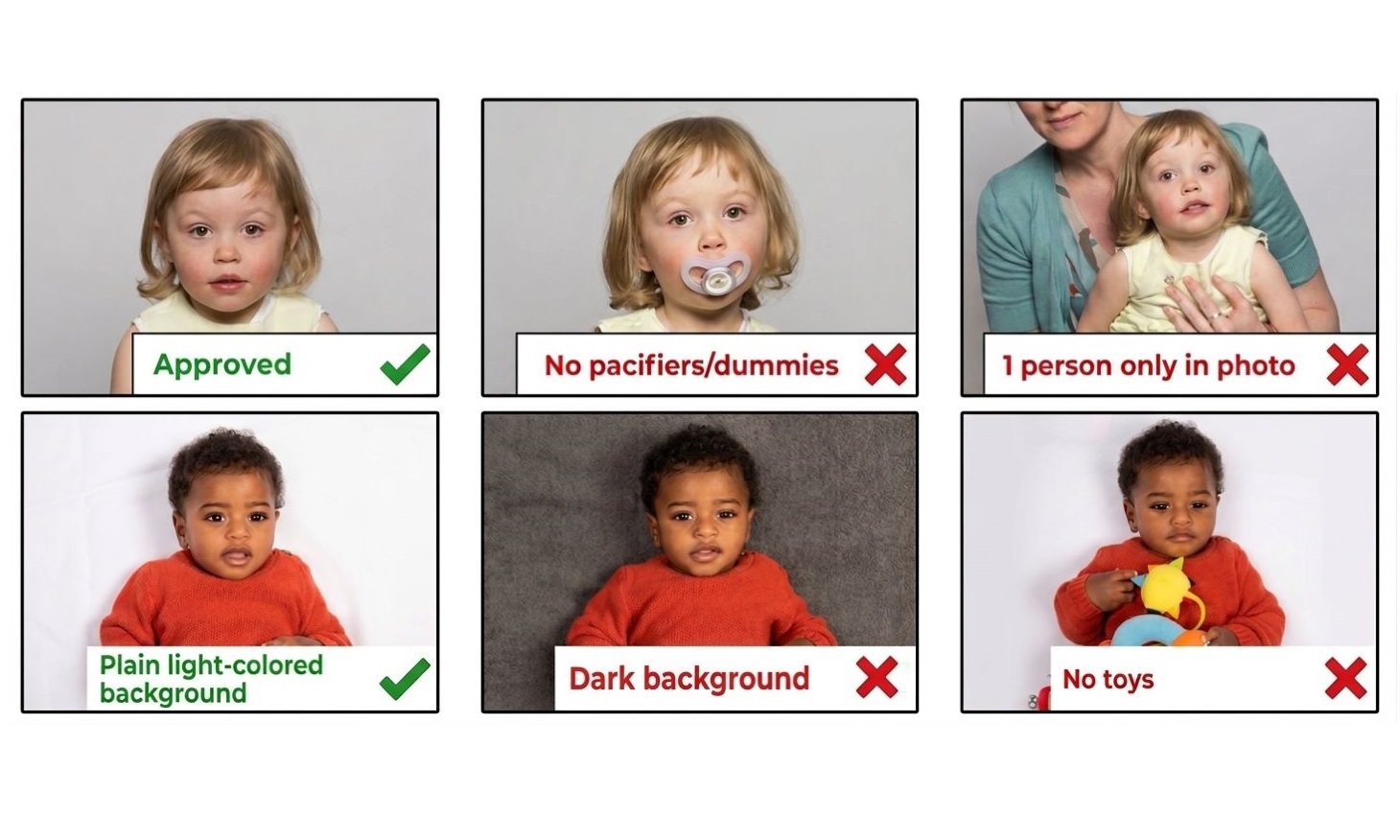
How to Retake a Rejected Baby’s Passport Photo
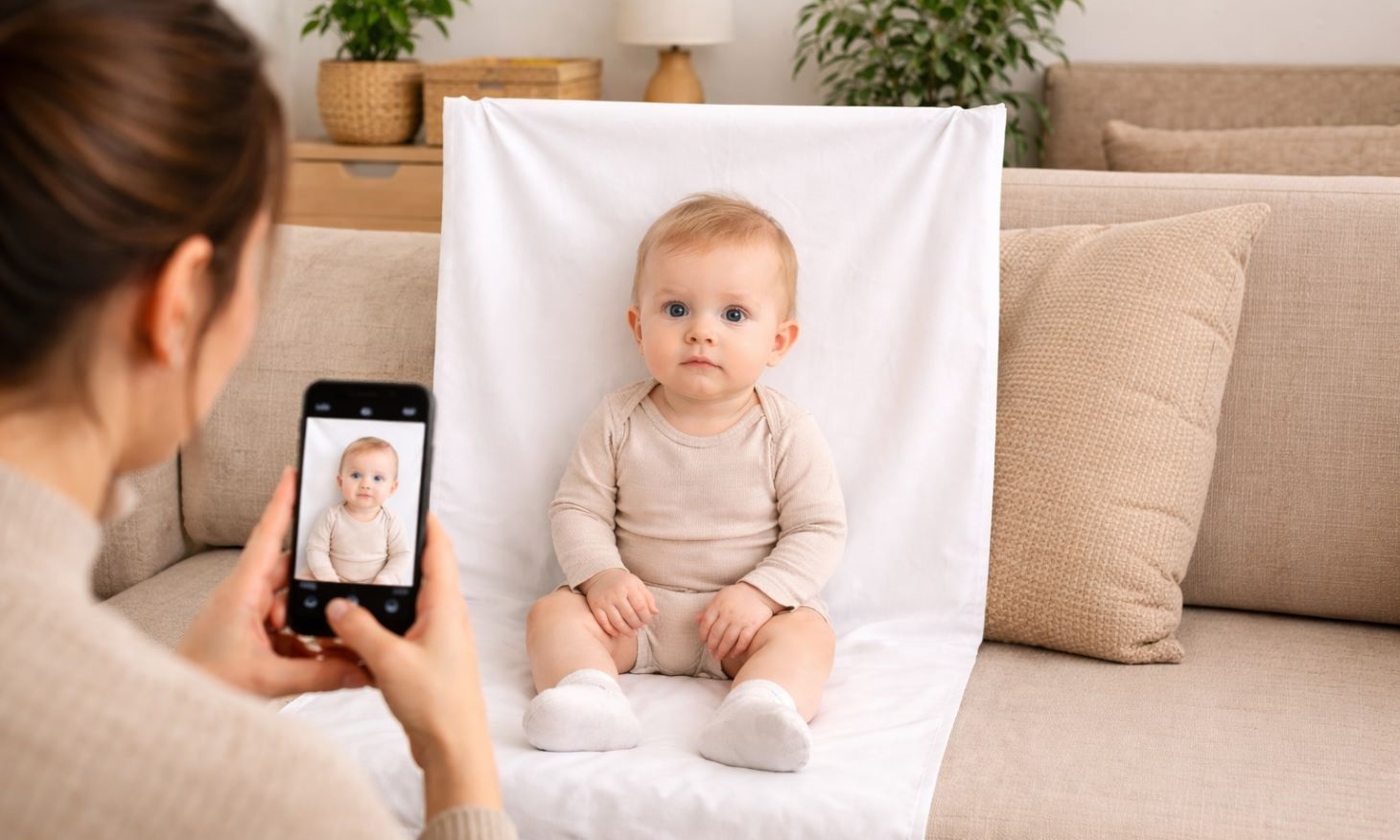
Taking the photo at home gives you full control and avoids stress.
1
Pick the right moment
Take the photo when your baby is calm, fed, and awake.
2
Set up a plain background
Use an off-white sheet with no patterns or creases.
3
Use natural light
Place the baby near a window. Avoid flash.
4
Lay baby flat
Place them on the sheet. Hide any support under the fabric.
5
Take multiple shots
Use burst mode or video to capture the best frame.
Most rejections happen due to small technical details that are easy to miss — fixing them manually often leads to another rejection.
✅ Easiest Way to Get an Approved Baby Passport Photo
Even with a good photo, formatting and compliance checks can still cause rejection. This is where most parents lose time.
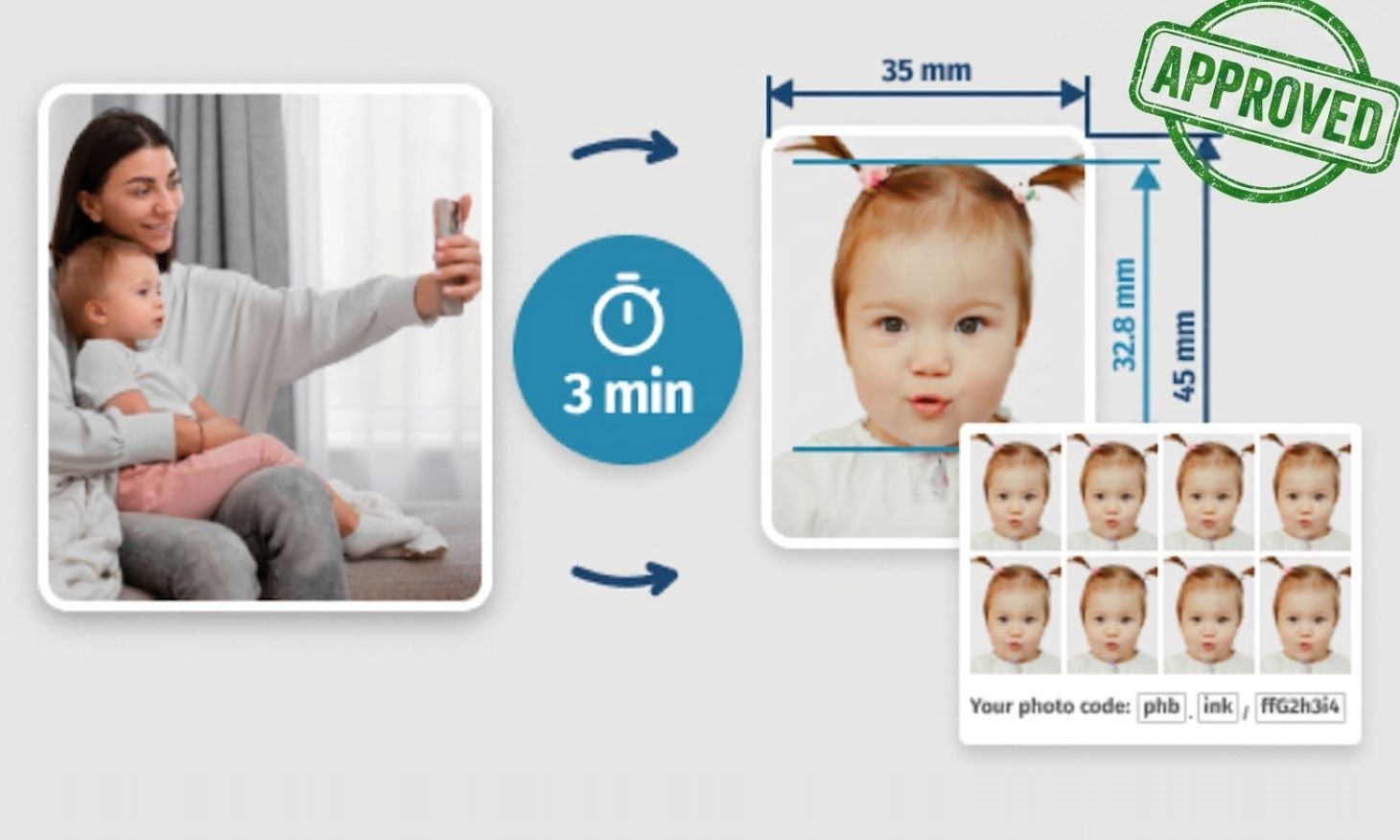
PhotoBooth Online is designed to minimise rejection risk. Every photo is checked against HMPO requirements and corrected before you get it.
Every step below is designed to meet HMPO rules, so you don’t have to guess what might be wrong.
1
Take a simple photo
No need to worry about size or background. Once taken, upload the photo using the green button below.
2
Let us check and adjust it if needed
Our system checks compliance instantly against HMPO requirements.
If something is off, the background, size, and proportions are fixed automatically – no manual editing or resizing needed.
3
Download or get prints
Get a verified and guaranteed digital passport photo and a printable template with 4 copies, ready to print at home or in-store. You can also order 8 pre-printed photos delivered by Royal Mail to your door.
Every photo is prepared to meet HMPO requirements before you download it.
✅ 100% acceptance guarantee: Every photo is checked against HMPO requirements before you receive it. If it is rejected, choose a full refund or a free retake — no questions asked.
Final Tip
If your baby’s passport photo was rejected once, the safest option is to avoid trial and error. One small mistake can cause another delay. Take a simple photo at home and let PhotoBooth Online check and format it correctly.
Written by: PhotoBooth Online Team
Updated: 14/04/26
Source: HM Passport Office official photo guidelines