

Rite Aid Passport Photo—Prices, Alternatives ($2.95) & 2x2 Photos


- 3-Minute
- Expert
- 800K+
- Turnaround
- Verification
- Approved Photos
Rite Aid Passport Photo—Service Details & Alternatives Comparison
- SERVICE DETAILS & ALTERNATIVE OPTIONS
Rite Aid Passport Photo Services—Quick Answers
- Rite Aid no longer offers passport photos at any location.
- In-store and online service stopped in 2023.
- Photo printing is no longer available either.
- All Rite Aid stores are closed — walk-in photos are not possible.
- There is no active Rite Aid passport photo product or branded photo workflow.
- For a compliant U.S. passport photo, use another retailer or an online service instead.
Does Rite Aid still do passport photos in 2026?
No, Rite Aid no longer offers passport photos at any location. Both in-store and online service stopped in 2023.
Old price for two 2×2″ photos at Rite Aid was $8.99.
Photo printing is no longer available either — Rite Aid discontinued that service as well.

Example of a compliant 2×2″ U.S. passport photo — the size Rite Aid used to provide Where to take passport photos instead of Rite Aid?
Here’s what you can use instead of Rite Aid — a side-by-side look at the main options and what each one costs.
In-store passport photo services compared
Walmart — $7.64 - Online only — print at store (~15–30 min)
- No appointment needed
- No digital file
- *Cheaper DIY: $2.95 online + $0.16 for a 4×6 print
- Find a store near you
Walgreens — $16.99 - In-store (~15–60 min)
- No appointment needed
- Digital copy free; USB available for an extra fee
- *Cheaper DIY: $2.95 online + $0.39 for a 4×6 print
- Find a store near you
CVS — $17.99 - In-store (~15–30 min)
- No appointment needed
- Digital copy $3.99; USB $10.99
- *Cheaper DIY: $2.95 online + $0.42 for a 4×6 print
- Find a store near you
The UPS Store — $11.99 - In-store (~15–30 min)
- Appointment optional
- No digital file
- No cheaper DIY path — in-store service only
- Find a store near you
FedEx — $15.95 - In-store or online (~20–30 min)
- No appointment needed
- Digital copy $15.95 (also on USB)
- No cheaper DIY path — full-service only
- Find a store near you
USPS — $15.00 - In select Post Offices (~15 min)
- Appointment required
- Digital copy for an extra fee (select locations)
- No cheaper DIY path — full-service only
- Find a store near you
*Cheapest path: You can get your passport photo at PhotoBooth Online for $2.95 — a digital file and a ready-to-print 4×6 template. Then print that template at a store: at Walmart it’s $0.16, at Walgreens $0.39, at CVS $0.42. The UPS Store, FedEx, and USPS don’t offer this budget print route — their passport photo service is full-service only. With PhotoBooth Online you can print at any local store that accepts regular 4×6 prints; the total is $2.95 + whatever that store charges for a 4×6 print.
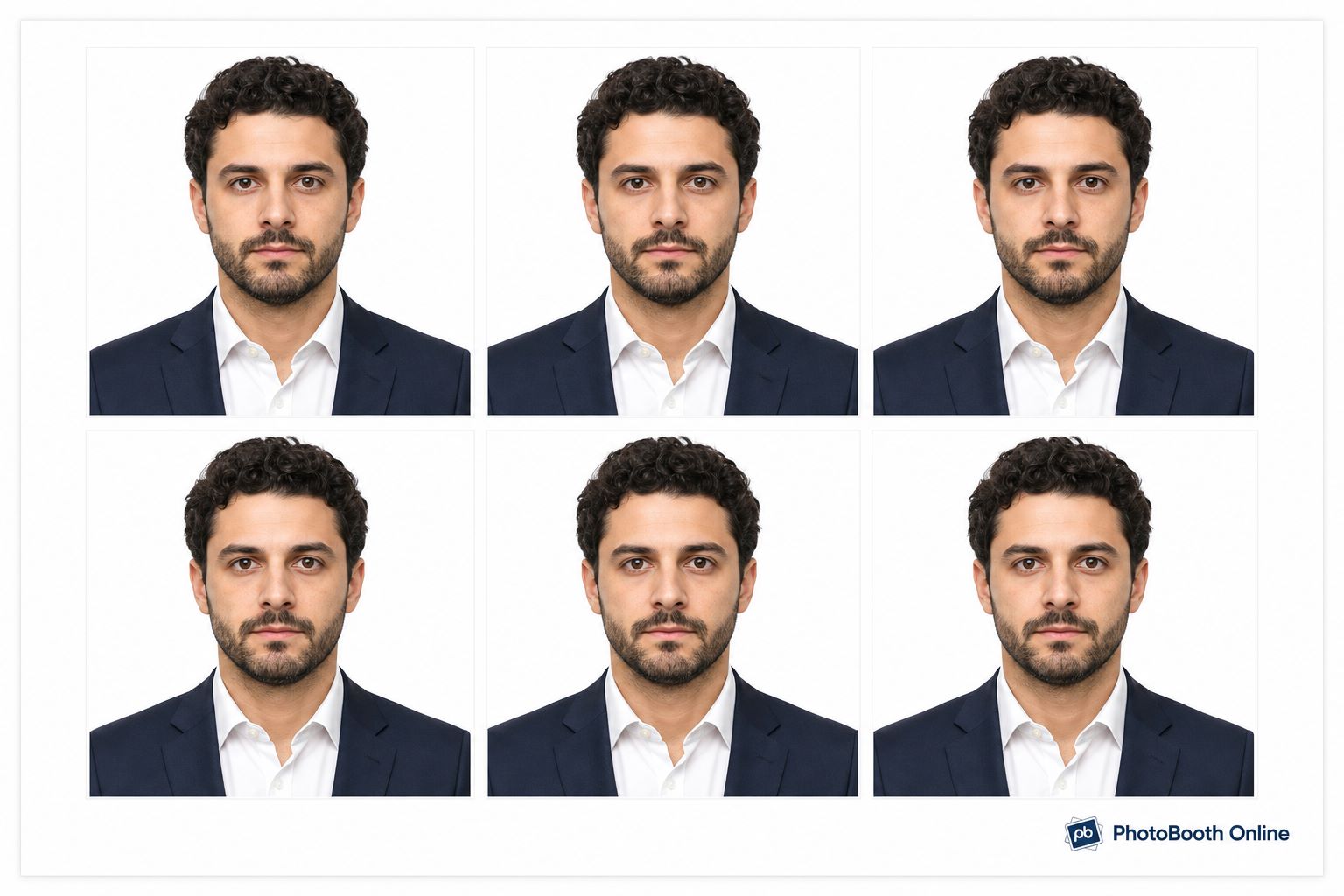
Example of a ready-to-print 4×6″ template with six compliant 2×2″ U.S. passport photos — the format you can print at any photo lab Compliant U.S. passport photos with your phone (from $2.95)
Same process for both options: create the photo online, then either print the template yourself or have six prints shipped to you.
1Take a photo with your phone at home (any background, no glasses, neutral expression).
2Upload to PhotoBooth Online.
3Wait for the AI + expert check — you get a compliant 2×2″ JPEG and a 4×6 print template.
4Choose your plan below — print the template at a local photo lab, or order six cut prints delivered to you.
Choose your plan
Cheapest — print yourselfDigital — $2.95- Instant JPEG + 4×6 template (6 photos on one sheet)
- Print at Walmart ($0.16), Walgreens ($0.39), CVS ($0.42), or any photo lab
- Cut along the guide lines — six 2×2″ prints ready
- Best if you need the file today or for online renewal
Easiest — prints deliveredDigital + Prints — $9.95- Everything in Digital, plus six physical 2×2″ prints
- Free USPS shipping (~2–3 business days) with tracking
- Cheaper per print than Walgreens/CVS ($16.99/$17.99 for only two)
- Old Rite Aid was $8.99 for two — here $9.95 for six + digital
Use this guide to learn current details about Rite Aid passport photo service, to compare alternative options and get a compliant passport photo without overpaying.
Written by: PhotoBooth Online Editorial Team
Verified against: State.Travel.Gov
Updated: 07/15/2026
Your Online Passport Photo Solution
Guaranteed Acceptance
Effortless Photo Upload
Instant Conversion
Expert Review (within 5 minutes!)
High-Quality Physical Prints
Ready-to-Print 4x6 Template
How It Works: 2 Simple Steps to Your Passport Photos
- STEP 1Take/Upload Your Photo
- STEP 2Choose Your Options


When To Choose Walk-In vs At Home
Same Day, No Phone
Go to Walgreens, CVS, The UPS Store, or FedEx. You’ll leave with physical prints in about 15–30 minutes. Best if you need photos today and don’t want to use your phone.Cheaper + Digital File
Create your passport photo online first. You’ll get a compliant digital JPEG and a 4×6 print template — then print locally or order prints delivered. Best if you need a file for online forms or want to spend less than walk-in pricing.Online Renewal Only
You only need a compliant digital JPEG for travel.state.gov. Skip the store trip — a printed photo isn’t required for online renewal.Paper Application
You need physical 2×2″ prints for DS-11 or other mail-in forms. Use a walk-in counter, or create the photo online and print a 4×6 template at a local photo lab.
Frequently Asked Questions
How quickly will I get my passport photos if I order directly from Photobooth.online?
Your digital photo will be ready in seconds, with expert review under 5 minutes. Physical prints ordered directly from us are shipped with free 2-3 day home delivery.
What if my photo is rejected by the government?
Photobooth.online offers an acceptance guarantee. If your photo is rejected due to compliance issues on our part, we will redo it for free or provide a full refund.
Can I use a regular photo from my phone?
Absolutely! Our service is designed to take any standard photo from your phone or camera and transform it into a fully compliant passport photo, adjusting the background, size, and other requirements automatically.
U.S. Passport Photo Requirements (Quick Checklist)
Always ensure your photo meets the official U.S. Department of State guidelines to avoid delays:
- Size:2×2 inches (51×51 mm) for each individual photo.
- Recent: Taken within the last 6 months.
- Background: Plain white or off-white. No shadows or patterns.
- Expression: Neutral facial expression or a natural, non-exaggerated smile. Both eyes open.
- Facing: Full-face view, directly facing the camera.
- No Glasses: Unless medically necessary with a signed doctor’s note.
- No Hats/Head Coverings: Unless for religious purposes (with a signed statement), and your full face must be visible.
- Quality: In focus, high-resolution, no digital alterations.
Alternatives for In-Store Passport Photo Services (If You Need Them Taken Professionally)
Since Rite Aid no longer offers in-store services, you might consider other options for getting your passport photos taken or printed:
- Other Pharmacies: Walgreens and CVS typically offer in-store passport photo services.
- Shipping Centers: FedEx Office and UPS stores often provide passport photo services.
- Post Offices: Some U.S. Post Office locations offer passport photo services.
- Retail Stores: Walmart (photo centers) and Costco (if available) are often more affordable options for printing.
- Online Passport Photo Services/Apps: Many websites and mobile apps specialize in generating compliant digital passport photos and can even provide printouts directly to your home.
Remember to always double-check the latest requirements from the U.S. Department of State before submitting your passport application.
Get started with your compliant passport photos today at Photobooth.online!